
Interactive demo with sample data (read-only).
GA4 PRO – Conversions & Funnels (DashPlugins) — Demo
GA4 PRO – Conversions & Funnels (DashPlugins)
$33.35
Analyze how your users convert step by step.
Identify roadblocks, leaks, and real opportunities in your funnels for conversion funnels with clear data from GA4.
Automated monthly analysis of your data using AI to identify opportunities, alerts, and clear courses of action without wasting time on endless reports.
A manual review of your data by a digital analytics specialist, with personalized insights and strategic recommendations.
Professional setup of GA4 and tracking pixels to ensure your data is reliable from day one.
I'll create a dashboard from scratch tailored to your business and goals.
I'll review and improve your current dashboard without rebuilding it from scratch.
I'll customize your dashboard to match your brand without changing its structure.
Description
GA4 PRO – Conversions & Funnels is an advanced report designed to help you understand why users convert… or why they don’t.
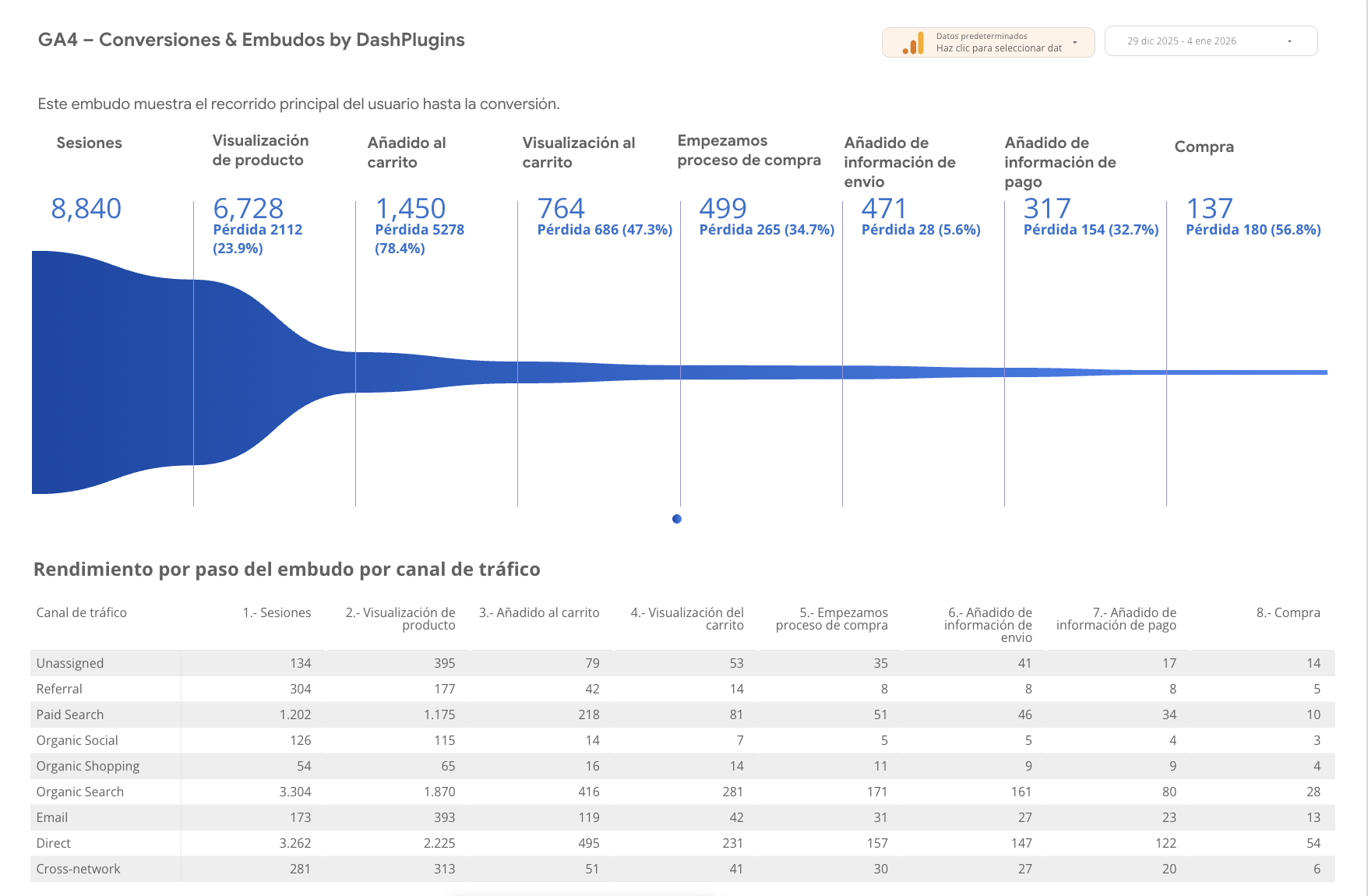
This dashboard focuses on in-depth analysis of events, conversions, and funnels, allowing you to view every step of the process: from the user’s arrival to the final action (lead, purchase, form submission, etc.).
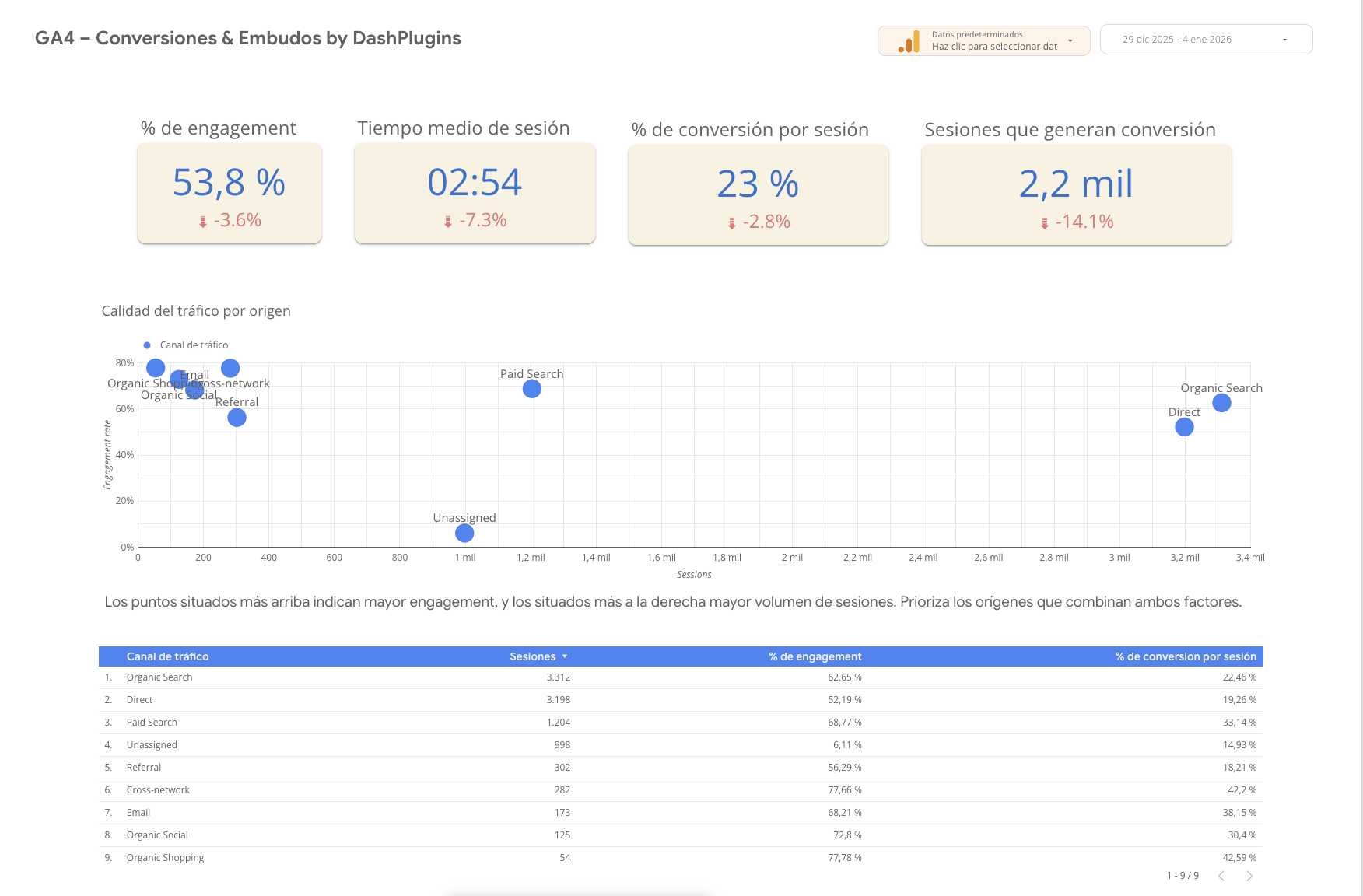
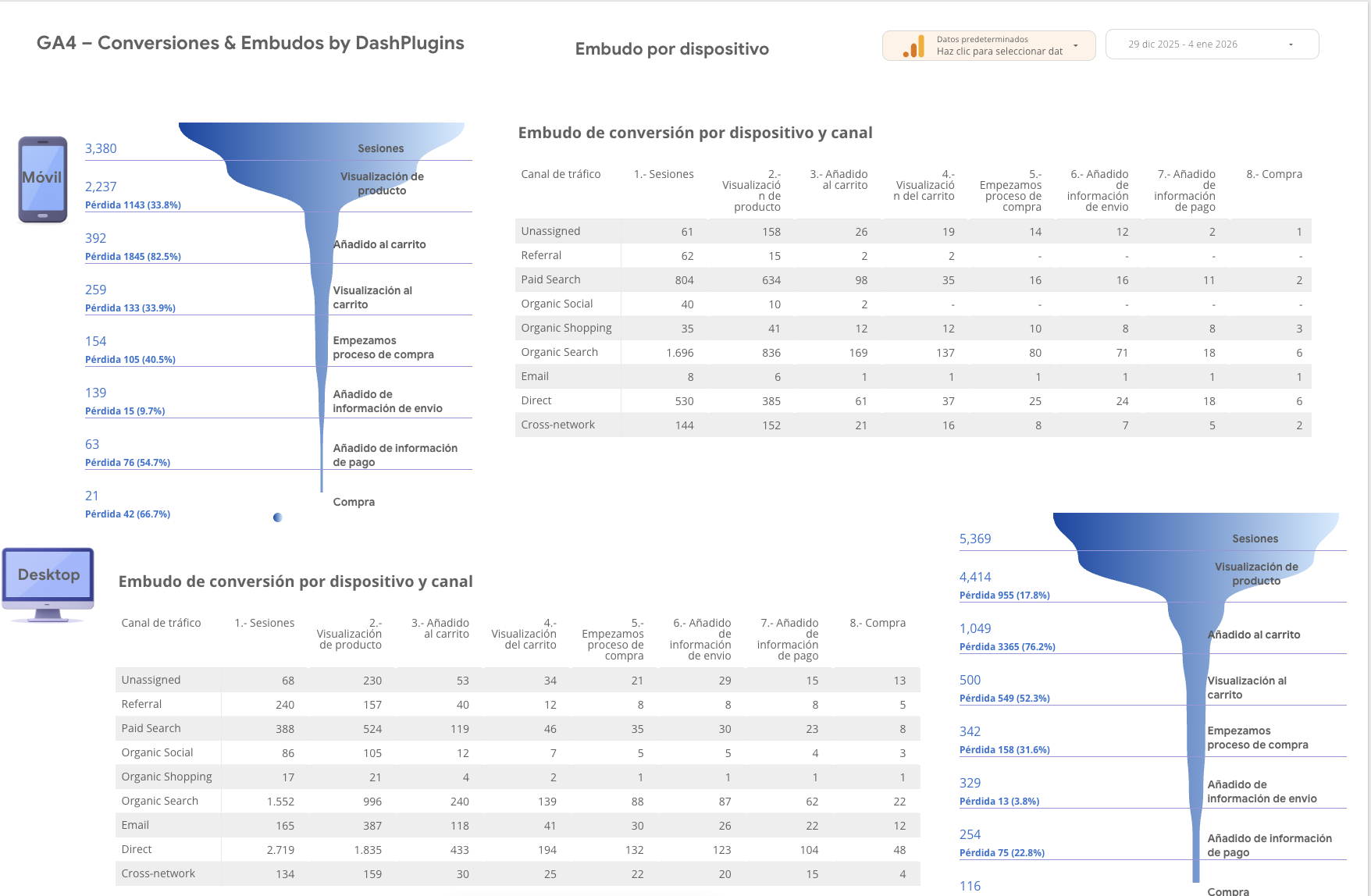
Unlike general reports, here you don’t just see final results—you also see where users drop off, which steps create friction, and which segments convert best. Everything is presented in a visual, clear, and actionable way, without having to struggle with the GA4 interface.
This is the essential report for optimizing landing pages, sales funnels, e-commerce, and any results-driven project.
What's included
-
Advanced Dashboard in Google Looker Studio
-
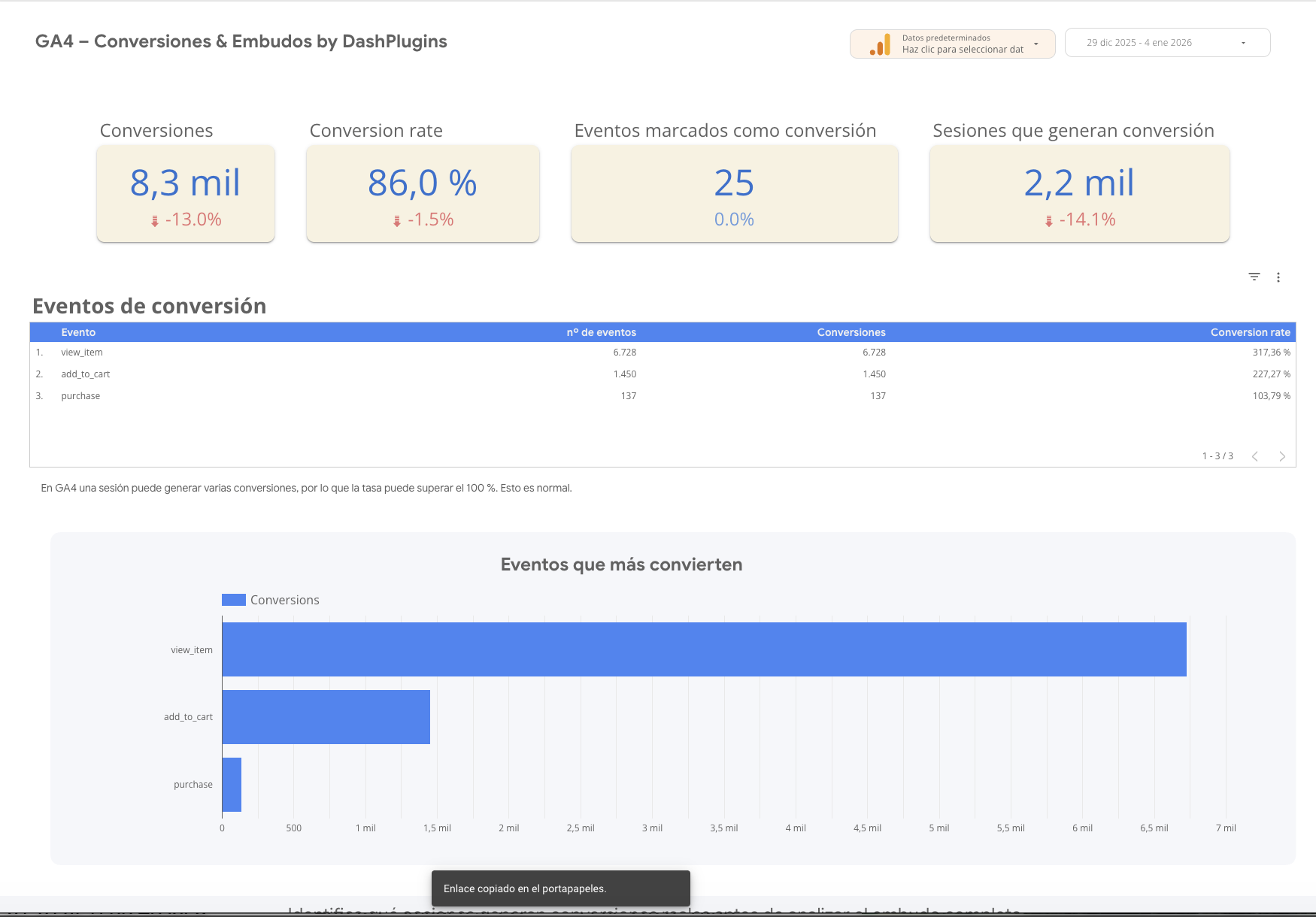
Analysis of all events and conversions
-
Detailed view of funnels for conversion
-
Identification of blockages and points of leakage at each step
-
Comparison between stages of the funnel to detect friction
-
Segmentation by:
-
acquisition channel
-
source / media
-
device
-
-
Comparison of time periods to analyze performance trends
-
Clear, actionable insights directly from GA4
-
Update automatically with the data for your property
Who is it for?
This report is intended for:
-
Businesses that want to improve their conversion rate
-
E-commerce and projects with defined conversion processes
-
Marketing and growth teams
-
Agencies that optimize sales funnels and landing pages
-
Professionals who need to understand why users aren't converting
Especially useful if:
-
Do you have forms, leads, or processes for purchasing
-
You're investing in traffic and want to know if it's actually converting
-
You need to prioritize improvements based on real data
Requirements
To use the report, you need:
-
An active property in Google Analytics 4
-
Have set up events and conversions in GA4
-
Right of way to the property
-
A Google account to copy and use the dashboard in Looker Studio
💡 If GA4 isn't set up properly, you can sign up for the GA4 Setup service.
How it works
-
You can purchase the report from DashPlugins.
-
Once your purchase is complete, you will receive a link to the report via email.
-
The link will be linked to the Google account associated with the email address you used to make the purchase.
-
When you open it, the report will be automatically copied to your Google Looker Studio account.
-
Connect your Google Analytics 4 property, and the report will start displaying your data.
-
From that point on, the dashboard updates automatically, and you can use it whenever you need to.
The process is quick and doesn't require any complex technical setup.
If you need help with GA4 setup or tracking, you can purchase our additional services.
Designed by DashPlugins
Data that works for you.

